Read the GPS Location from Rivian Dashcam Video with ffprobe
A Rivian R1T dashcam clip carries one GPS fix, taken where its segment began, in the MP4 location tag, and ffprobe reads it in one command.
TL;DR
The GPS position is in the MP4 container’s location tag. Read it with
ffprobe:
$ ffprobe -v error -show_entries format_tags=location -of default=nw=1:nk=1 \
    <clip>.mp4
Output
47.589462-122.2655The value is a signed latitude immediately followed by a signed longitude, in
decimal degrees: 47.589462 north, -122.2655 west. That clip starts on the
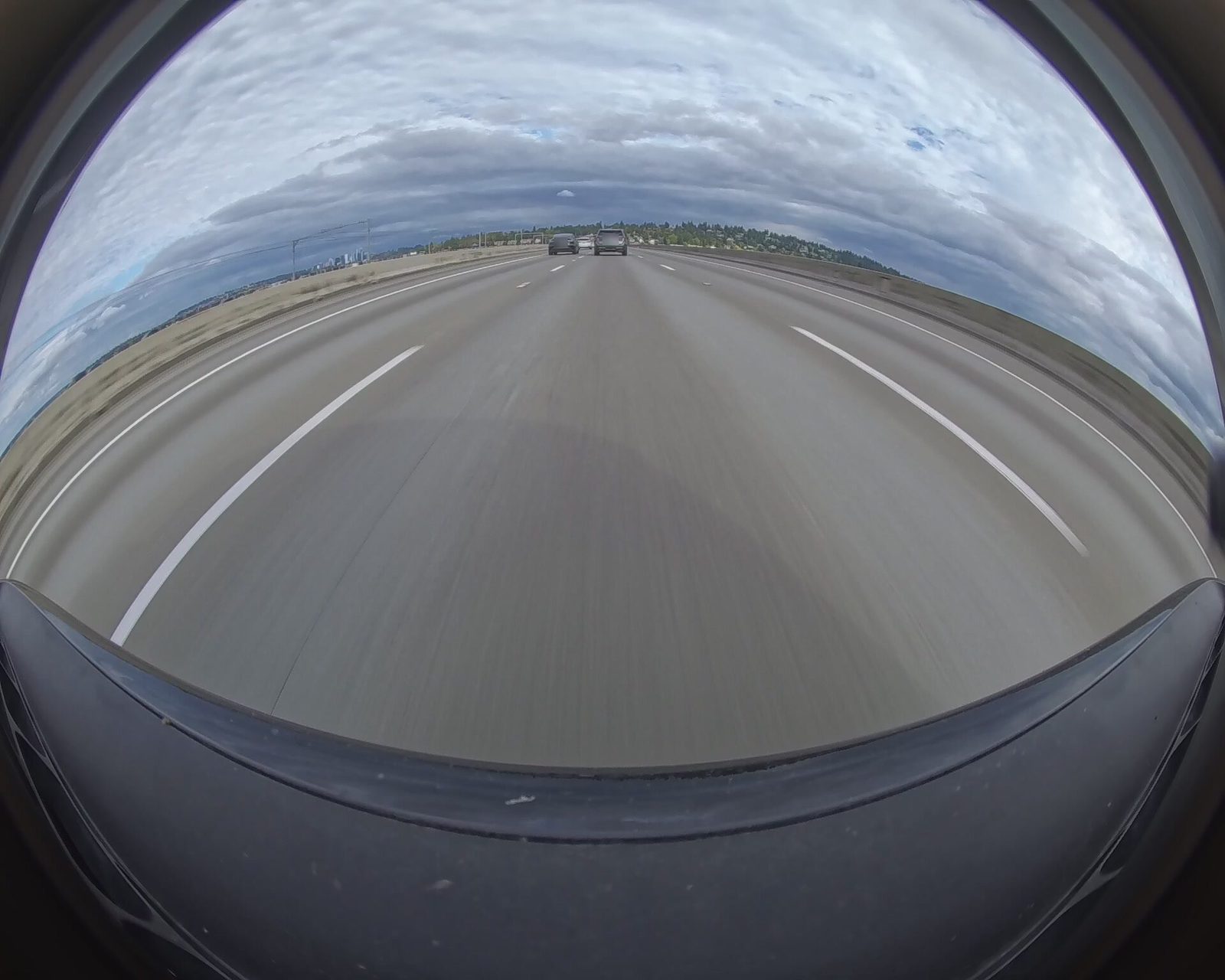
I-90 floating bridge. 0,0 means the truck had no fix.
There is one fix per file, taken where the 15-minute segment began. There is no per-second GPS track.
Spellings of the tag
The value has no separator between the two numbers. The sign of the longitude
is the separator, so a parser has to split on the second + or -, not on a
comma or a space. The truck never writes a leading plus sign. Across 475
front-camera segments, all from encoder tag Rivian Firmware ver. 2022-47, three
spellings turned up, and 0,0 stands in when there is no fix:
- Usual
47.589462-122.2655, on 439 of the 475 segments.- Trailing slash
- the same form ending in
/, on the other 36. - After ffmpeg copies the file
+47.5894-122.2655/, the ISO 6709 form, with a leading plus sign and four decimal places. This is ffmpeg’s rewrite, not a firmware variant.- No fix
0,0, which is a position in the Gulf of Guinea, not a reading.
ffprobe also prints a location-eng tag with the same value. Either one
works; the commands here read location.
What one fix per segment rules out
The truck records one file per camera per 15-minute segment, and each file carries a single fix from the moment that segment started. Nothing inside the file records where the truck was a minute later. That rules out:
- A route drawn from the video. A segment gives you a point every 15 minutes, which is too coarse to follow a road.
- Speed. Two fixes 15 minutes apart give an average over the whole segment, not the speed at any moment.
- Finding a place by GPS alone. A drive across the floating bridge takes less than a segment, so the bridge usually falls between two fixes.
The five cameras of a segment each carry their own fix. In the clip earlier,
the front and rear files read 47.589462-122.2655 and the two side cameras and
the Gear Guard camera read 47.589474-122.2659. Treat any one of them as the
segment’s position.
To place a moment inside a segment, read the picture instead of the container. Finding a bridge in dashcam video by the color of tunnel lights locates the I-90 floating bridge crossing from the picture, where the GPS can’t.
Parse the tag in Python
parse_location returns a (latitude, longitude) tuple, or None when the
tag is missing, unreadable, or 0,0. read_location runs ffprobe on one
file. The standard library is enough; Python 3.10 or later, for the | in the
type hints.
import re
import subprocess
import sys

# A signed latitude immediately followed by a signed longitude. The leading
# plus sign and the trailing slash are optional because not every writer
# emits them.
LOCATION = re.compile(r"([+-]?\d+(?:\.\d+)?)([+-]\d+(?:\.\d+)?)")


def parse_location(tag: str) -> tuple[float, float] | None:
    match = LOCATION.search(tag)
    if not match:
        return None
    latitude, longitude = float(match[1]), float(match[2])
    # The truck writes 0,0 when it has no GPS fix.
    if latitude == 0 and longitude == 0:
        return None
    return latitude, longitude


def read_location(clip: str) -> tuple[float, float] | None:
    tag = subprocess.run(
        ["ffprobe", "-v", "error", "-show_entries", "format_tags=location",
         "-of", "default=nw=1:nk=1", clip],
        capture_output=True, text=True, check=True,
    ).stdout
    return parse_location(tag)


if __name__ == "__main__":
    for clip in sys.argv[1:]:
        point = read_location(clip)
        print(clip, "no fix" if point is None else f"{point[0]}, {point[1]}")
Pass it one or more clips:
$ python3 rivian_location.py <clip>.mp4Output
<clip>.mp4 47.589462, -122.2655The tests cover every spelling in the list earlier, a southern and eastern position so both signs are exercised, and each way the tag can mean “no fix”:
import pytest

from rivian_location import parse_location


@pytest.mark.parametrize(("tag", "expected"), [
    ("47.589462-122.2655", (47.589462, -122.2655)),
    ("47.589462-122.2655/", (47.589462, -122.2655)),
    ("+47.5894-122.2655/", (47.5894, -122.2655)),
    ("-33.8688+151.2093/", (-33.8688, 151.2093)),
])
def test_reads_each_spelling_of_the_tag(tag, expected):
    assert parse_location(tag) == expected


@pytest.mark.parametrize("tag", ["", "\n", "garbage", "+0.0000+0.0000/", "0-0"])
def test_returns_none_for_no_fix(tag):
assert parse_location(tag) is None$ python3 -m pytest -qOutput
.........                                                                [100%]
9 passed in 0.01s
Dropping the optional sign from the latitude’s half of the pattern fails the southern-hemisphere case, so the tests do notice a broken pattern.
Remove the GPS location from a clip before sharing it
The tag travels with the file. A raw clip posted online tells anyone who
downloads it where it was recorded, and a folder of them maps where the truck
goes every day. Trimming the clip doesn’t necessarily remove it: a stream copy
with ffmpeg kept the tag, rewritten in the +…/ form, and exiftool reports it
as a GPS position:
$ ffmpeg -i <clip>.mp4 -t 2 -c copy copy.mp4
$ exiftool -G1 -a "-gps*" "-location*" copy.mp4
Output
[Composite]     GPS Altitude                    : 0 m
[Composite]     GPS Altitude Ref                : Above Sea Level
[Composite]     GPS Latitude                    : 47 deg 35' 22.02" N
[Composite]     GPS Longitude                   : 122 deg 15' 55.76" W
[Composite]     GPS Position                    : 47 deg 35' 22.02" N, 122 deg 15' 55.76" W
[UserData]      Location Information            : (none) Role=shooting Lat=47.58945 Lon=-122.26549 Alt=0.00 Body=earth Notes=
Other ways of writing a file behave differently. The multi-camera clips cut
with ffmpeg’s concat demuxer
came out with no location tag at all, because the demuxer drops file-level
metadata. The hyperlapse tool I used kept it, because it copies the
first source file’s metadata on purpose. Check
each file rather than trusting the tool. To drop the container’s metadata while copying,
add -map_metadata -1; the same exiftool command then prints nothing:
$ ffmpeg -i <clip>.mp4 -t 2 -c copy -map_metadata -1 strip.mp4
$ exiftool -G1 -a "-gps*" "-location*" strip.mp4
Empty output is the result you want. Run the check on the file you’re about to upload, not on its source: each tool between the two can keep the tag or drop it.
Tested with
- ffprobe
- 9.0.1
- exiftool
- 13.55
- Python
- 3.12.11
- pytest
- 9.1.1
- OS
- macOS 27.0
- Footage
- Rivian, encoder tag Rivian Firmware ver. 2022-47
- Date
- October 2026